STEP 01
Log a fit.
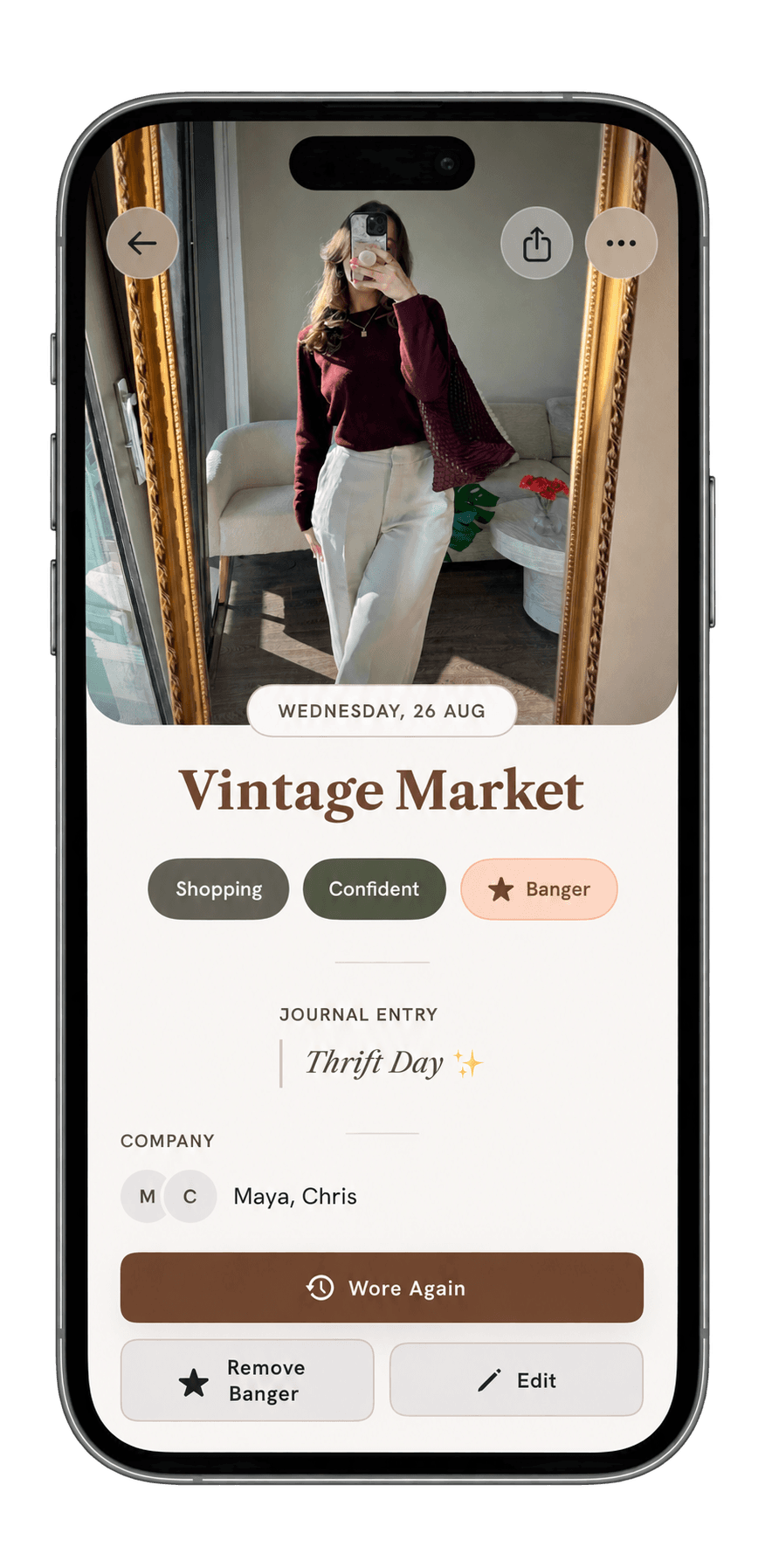
Add a mirror pic and save. Include the occasion, mood, place, and people now or edit them later.
Sleeve is a private outfit journal for iPhone. Save a mirror pic with its date, place, people, and mood, then get a warning when a new fit shares familiar context with an earlier one.
Mirror pics get buried in your camera roll. Sleeve files each one with the day, place, people, mood, and pieces, then checks that context when you log the next fit.
Save the photo, then add the day, place, and people you want to remember.Read the outfit journal guide →
Add a mirror pic and save. Include the occasion, mood, place, and people now or edit them later.
If a new fit shares a piece and either people or an occasion with an earlier fit, Sleeve warns you before you save.
See the month’s fits, banger count, top mood, top occasion, and photo grid.
Photo, date, place, mood, company, notes. Tag the pieces you pulled from your wardrobe. Each saved fit appears in your timeline and calendar and contributes to recaps and repeat warnings.
Explore every feature →Log your tops, bottoms, shoes, outerwear, and accessories. Every piece gets a running count of the fits it shows up in.
See logged fits by date, and add one to any past day.
Mark a fit as a banger to keep it in the Hall of Fame on your profile.
Choose Wore again to file a rewear. Sleeve counts each wear and keeps the rewears with the original fit.
Open the current month to see its fits, banger count, top mood, top occasion, and photo grid.
18 fits logged.
Sleeve is a private outfit journal for iPhone. Save a mirror pic with the date, occasion, place, mood, people, notes, and wardrobe pieces you want to remember.
Add a mirror pic and save the date. Occasion, place, mood, people, notes, and wardrobe pieces are optional. Filed fits appear in your timeline and calendar.
When a new fit shares a wardrobe piece and either people or an occasion with an earlier fit, Sleeve can warn you before you save. The warning does not block an intentional rewear.
Add tops, bottoms, shoes, outerwear, and accessories, then tag them in a fit. Sleeve keeps a wear count for each piece and includes those counts in your wardrobe history and recaps.
Yes. Choose Wore again to connect a rewear to the original fit. Sleeve keeps the entries together and counts every wear.
Start with a mirror photo and date. Occasion, place, mood, people, notes, and wardrobe pieces add context but can be filled in later.
The recap shows the month’s fits, banger count, top mood, top occasion, and fit grid.
Sleeve is coming to the App Store for iPhone. No release date has been announced.
Sleeve is being made for iPhone. An Android version has not been announced.
Sleeve does not sell journal data, use photos or notes for advertising, or train models on journal content. You can delete individual entries or your account in the app.
Read the privacy policy →Yes. You can export your archive from Settings, delete individual fits or wardrobe pieces, and delete your entire account in the app.
See the data controls →Sleeve is coming to the App Store for iPhone. No release date has been announced.